Willkommen! Wir freuen uns auf den Kursstart mit dir.
Damit wir am ersten Tag direkt loslegen können, erledige bitte die folgenden Aufgaben vorher. Du brauchst dazu die Begrüssungs-Email und einen Computer.
1. Verstehe mit diesem Video, wie der Kurs aufgebaut ist
Dieses Video kannst du stoppen und erneut anschauen. Rechts findest das Video in weiteren Sprachen. Dieses Video erklärt dir, wie wir zusammenarbeiten und deine Fachsprache-Kenntnisse weiter verbessern.
Video auf Türkisch hier / Türkçe video burada
Video auf Albanisch hier / Video në shqip këtu
Video auf Kroatisch hier / Video na hrvatskom ovdje
Video auf Serbisch hier / Video na srpskom ovde
Video auf Russisch hier / Видео на русском здесь
Video auf Ukrainisch hier / Відео українською тут
Video auf Italienisch hier / Video in italiano qui
Video auf Spanisch hier / Vídeo en español aquí
Video auf Portugiesisch hier / Vídeo em português aqui
2. Installiere die Videokonferenz-Software Zoom
Alle unsere Treffen findem online statt. Es ist immer derselbe Link. Die Software Zooom musst du nur einmal installieren. Oder vielleicht ist sie sogar schon auf deinem Computer. So funktionierts:
- Finde den Zoom-Link im Begrüssungsmail:
- Klicke den Link

Zoom-Installation startet? Gehe so vor:
- folge den Anweisungen
- bestätige die Installation
- du musst kein Konto erstellen
- klicke den Zoom Link nochmals
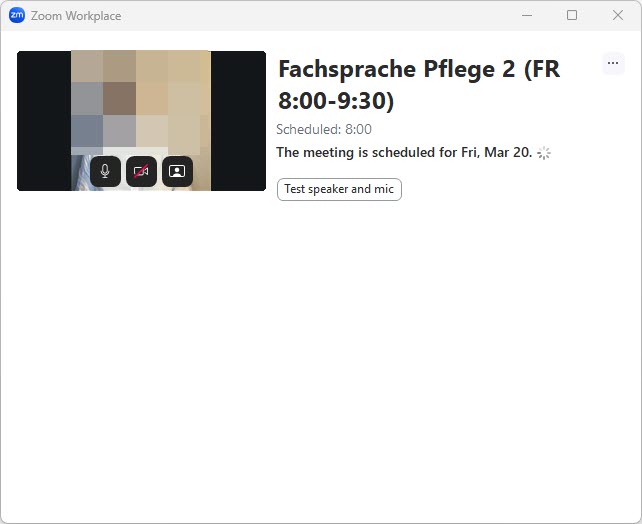
- siehst du ein Fenster wie rechts?
- du bist bereit!
Tipp: auf einem Computer ist es einfacher als auf dem Smartphone.
Falls die Installation nicht klappt, klickst du einfach im Browser auf «Join from your browser» oder «mit dem Browser teilnehmen».
Hier findest du detaillierte Anleitungen.
Du siehst so etwas? Perfekt!
3. Stelle sicher, dass du dich auf der Lernplattform einloggen kannst
Die Lernplattform brauchst du zur Vorbereitung. während und nach dem unterricht. Die Lerninhalte und Aufgaben darin sind entscheidend für deinen Lernerfolg. So loggst du dich ein:
- Finde Benutzername und Passwort in der Begrüssungsmail
- Klicke auf diesen Link https://medicuslinguae.matrixlms.eu/
- Setze ein Lesezeichen
Kopiere Benutzernamen und Passwort
Du findest beides in der Begrüssungsemail:

Tipp: du kannst dich von jedem Computer mit Internet einloggen. Besuche einfach unsere Website www.medicuslinguae.com und klicke ‚Login‘ rechts oben.
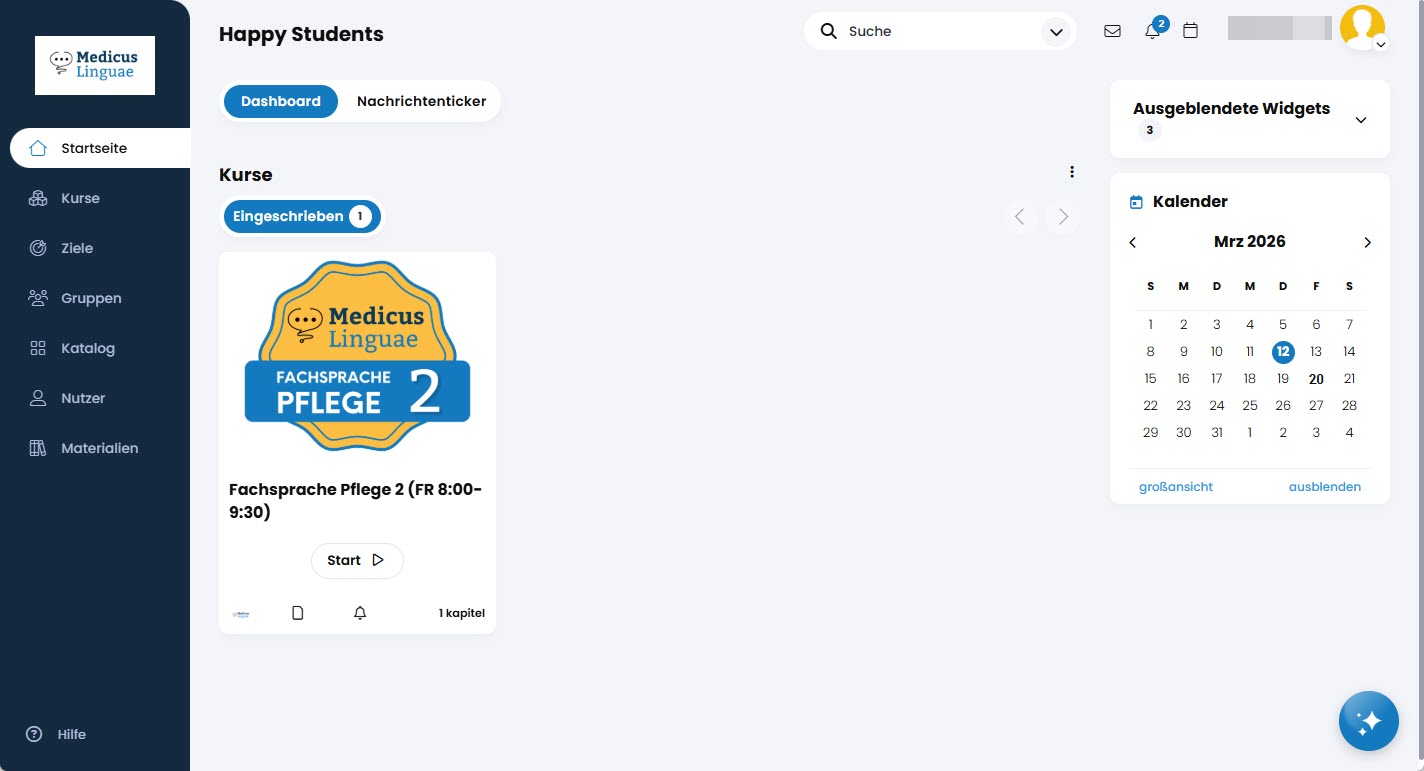
Sieht es bei dir so aus? Perfekt!
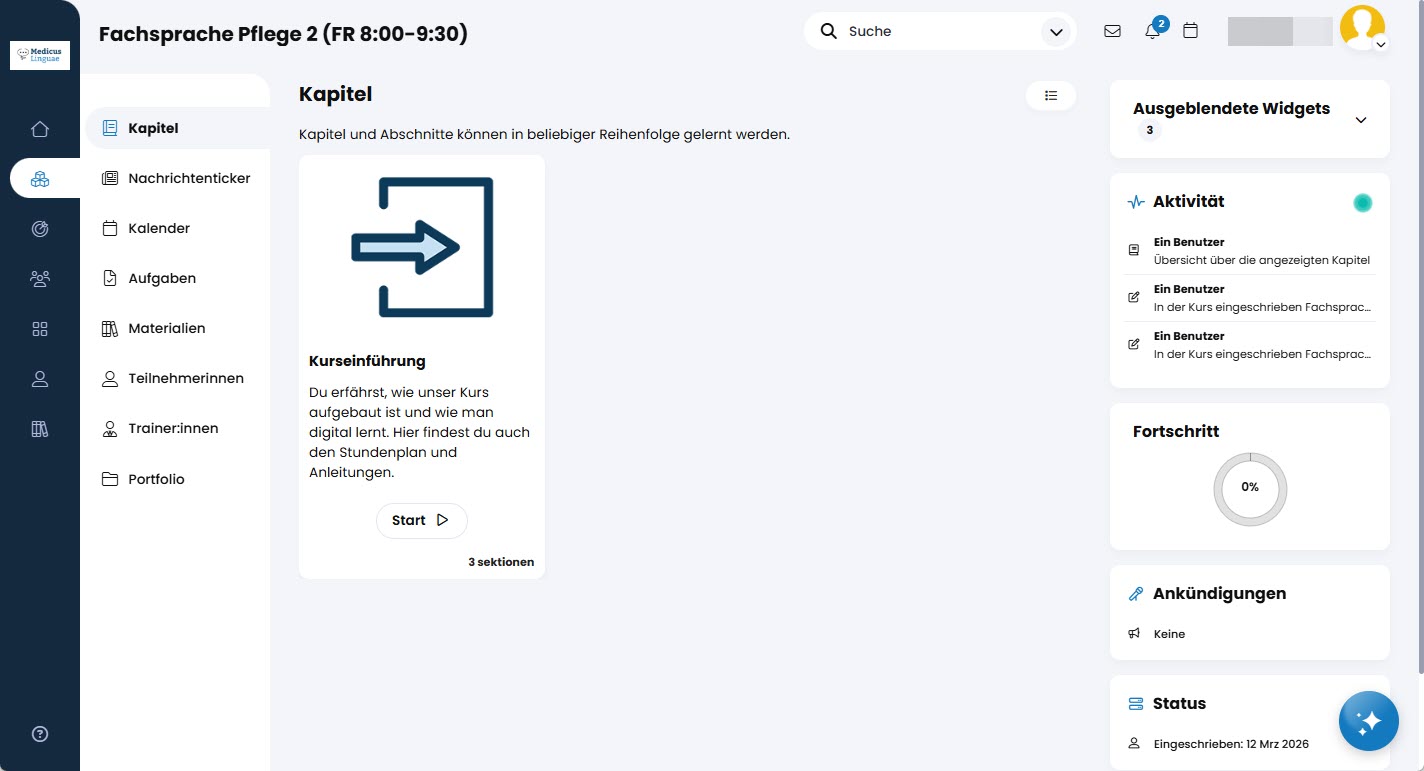
Jede Woche wird eine neue Lektion erscheinen. Diese enthalten jeweils alle Lernmaterialien, die du für die aktuelle Lektion brauchst.
4. Du bist bereit!
- Trage dir den Termin der ersten Klasse dick im Kalender ein
- Logge dich kurz vorher auf der Lernplattform ein
- Starte Zoom
Klappt irgendetwas nicht? Kontaktiere uns.